

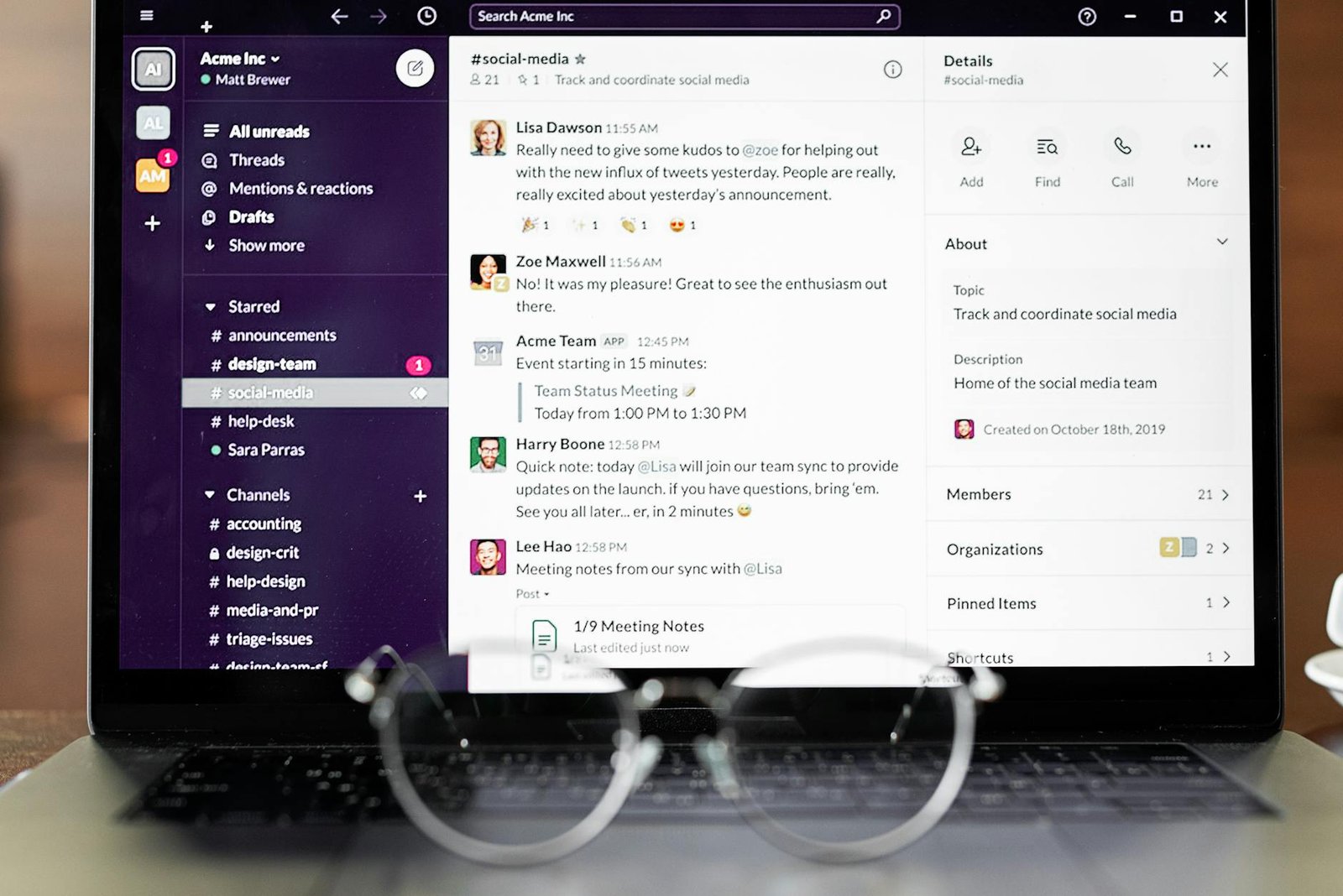
In the ever-evolving digital workplace of 2026, choosing the right team collaboration platform is more critical than ever. Two giants dominate the landscape: Slack and Microsoft Teams. Both offer robust features designed to streamline communication, enhance productivity, and foster teamwork, but they approach these goals with distinct philosophies and ecosystems. This comprehensive comparison of Slack vs Microsoft Teams will dive deep into their features, pricing, user experience, and integration capabilities to help you decide which tool is the ultimate winner for your organization.
Disclosure: This post contains affiliate links. If you purchase through our links, we may earn a commission at no extra cost to you. We only recommend products we genuinely believe in.
Whether you’re a small startup, a growing mid-sized business, or a large enterprise, understanding the nuances between these platforms is key to making an informed decision that will impact your team’s efficiency for years to come. We’ll break down everything from messaging and file sharing to video calls and third-party integrations, ensuring you have all the information needed to pick the best collaboration tool in 2026.
Quick Picks: Our Top Verdict at a Glance
Short on time? Here’s our quick take on who wins in key areas:
- Best for Simplicity & User Experience: Slack
- Best for Microsoft 365 Integration: Microsoft Teams
- Best for Large Enterprises with Complex Needs: Microsoft Teams
- Best for Agile & Tech-Focused Teams: Slack
- Best Value for Integrated Suite: Microsoft Teams (with Microsoft 365)
Slack vs. Teams: The Ultimate 2026 Showdown
The competition between Slack and Microsoft Teams has intensified significantly by 2026, with both platforms continually rolling out updates and new features to capture and retain users. Slack, acquired by , continues to be lauded for its intuitive interface and focus on real-time communication, often favored by tech-centric and agile teams. Microsoft Teams, deeply integrated within the Microsoft 365 ecosystem, leverages its vast user base and comprehensive suite of productivity tools to offer an all-in-one solution for businesses already invested in Microsoft’s offerings.
The Evolving Landscape of Team Collaboration
The demand for effective collaboration tools has surged, driven by the prevalence of remote and hybrid work models. According to a 2026 report on workplace collaboration statistics, a significant majority of businesses now rely on digital platforms for daily operations, with a strong emphasis on tools that support seamless communication and project management (Archieapp.co, 2026). This trend underscores the importance of choosing a platform that not only meets current needs but also scales with future demands.
Slack vs Microsoft Teams: Fast Facts
Here’s a quick overview of the key characteristics of each platform:
| Feature | Slack | Microsoft Teams |
|---|---|---|
| Primary Focus | Real-time messaging, channel-based communication, app integrations | Integrated communication, collaboration, and productivity within Microsoft 365 |
| Target Audience | Tech companies, startups, agile teams, creative agencies | Businesses of all sizes, especially those using Microsoft 365, large enterprises |
| Key Strengths | User-friendly interface, extensive app directory, flexible channels, Huddles | Deep Microsoft 365 integration, robust video conferencing, comprehensive security, guest access |
| Pricing Model | Free, Pro, Business+, Enterprise Grid | Free, Microsoft 365 Business Basic, Standard, Premium, Enterprise |
| Core Communication | Channels, DMs, Huddles, Calls | Teams, Channels, Chats, Meetings, Calls |
| File Storage | 10 GB per user (Pro), 20 GB per user (Business+) | 1 TB per user (Microsoft 365 Business Basic/Standard) |
| Video Conferencing | Up to 50 participants (Pro), Huddles for quick audio/video | Up to 1,000 participants (Meetings), Live Events for up to 10,000 |
Slack vs Teams: Pricing Models Explained
Understanding the pricing structures of Slack and Microsoft Teams is crucial for budgeting and determining the overall value for your organization in 2026.
Slack Pricing
Slack offers a tiered pricing model designed to cater to different organizational needs:
- Free: Ideal for small teams or individuals, offering limited message history (90 days), 10 integrations, and basic video calls.
- Pro: Starts at approximately $8.75 per user per month (billed annually). Includes unlimited message history, unlimited integrations, group video calls with screen sharing, and enhanced security features.
- Business+: Priced around $15 per user per month (billed annually). Adds advanced identity management, 24/7 support, and guaranteed uptime.
- Enterprise Grid: Custom pricing for large enterprises. Offers the highest level of security, compliance, and administrative control, designed for organizations with thousands of users and complex structures.
Microsoft Teams Pricing
Microsoft Teams’ pricing is often tied to its Microsoft 365 subscriptions, providing a comprehensive suite of tools:
- Free: Offers unlimited chat, video calls, 10 GB of team file storage, and guest access.
- Microsoft 365 Business Basic: Around $6.00 per user per month (billed annually). Includes Teams, Exchange, OneDrive, and SharePoint, along with web and mobile versions of Office apps.
- Microsoft 365 Business Standard: Approximately $12.50 per user per month (billed annually). Adds desktop versions of Office apps (Word, Excel, PowerPoint) and additional business services.
- Microsoft 365 Business Premium: Priced around $22.00 per user per month (billed annually). Includes everything in Standard, plus advanced security and device management.
- Microsoft 365 Enterprise: Custom pricing for large organizations, offering advanced features, compliance, and scalability.
Cost-Effectiveness for Different Business Sizes
For businesses already heavily invested in the Microsoft ecosystem, Teams often presents a more cost-effective solution as it’s bundled with other essential productivity tools. Small to medium-sized businesses (SMBs) might find the free or lower-tier Microsoft 365 plans more appealing due to the integrated value. Slack’s pricing, while competitive, can add up if a business needs its full feature set and also relies on other separate productivity software. However, for teams that prioritize Slack’s specific user experience and extensive third-party app integrations, the investment is often justified.
Slack vs Teams: Getting Started and Onboarding
The initial setup and onboarding experience can significantly impact user adoption and overall satisfaction.
Setting Up Slack
Getting started with Slack is generally straightforward and quick. Users can create a new workspace in minutes by simply providing an email address and a few basic details. Inviting team members is equally simple, often done via email invitations or shareable links. The intuitive interface means new users can typically navigate and begin communicating with minimal training.
Setting Up Microsoft Teams
Microsoft Teams setup can be slightly more involved, especially for organizations integrating it with an existing Microsoft 365 tenant. For new users, it requires a Microsoft account. While individual setup is easy, administrators have more robust controls for deployment, user management, and policy enforcement, which can take more time to configure initially but offers greater control in the long run.
User-Friendliness for New Teams
Slack generally has a lower learning curve due to its clean design and focus on chat. New users often find it easier to jump in and start communicating. Microsoft Teams, with its broader feature set and deeper integration with other Microsoft apps, might require a bit more exploration for users to discover all its capabilities. However, for those already familiar with the Microsoft 365 suite, the transition to Teams is often seamless.
Slack vs Teams: Inviting Users and Permissions
Managing who has access to your workspace and what they can do is a critical aspect of any collaboration tool.
Managing Users in Slack
Slack allows workspace owners and administrators to invite users via email, create single-channel guests, or use a shared invitation link. Permissions can be set at the workspace level, with options for full members, restricted members (who can only access specific channels), and guests. For Enterprise Grid, user management becomes even more sophisticated, allowing for organization-wide directories and granular control over multiple workspaces.
Managing Users in Microsoft Teams
Microsoft Teams leverages Azure Active Directory for user management, which is a significant advantage for organizations already using Microsoft services. Users can be added directly from the organization’s directory, and guest access is robust, allowing external collaborators to join teams and channels with controlled permissions. Administrators have extensive control over user roles, access policies, and data governance through the Microsoft 365 admin center.
Granular Control and Security
Both platforms offer strong security features, but their approaches differ. Slack provides features like SAML-based single sign-on (SSO), two-factor authentication, and data encryption. Microsoft Teams, benefiting from the broader Microsoft 365 security framework, offers advanced threat protection, data loss prevention (DLP), and compliance certifications that are often essential for highly regulated industries. The Stanford IT Community’s 2026 survey on IT client satisfaction highlighted security and compliance as top concerns for enterprise users, an area where Microsoft Teams often excels due to its comprehensive ecosystem (Stanford IT Community, 2026).
Slack vs Teams: Layout and Design Philosophy
The visual design and layout of a collaboration tool significantly impact user experience and productivity.
Slack’s Interface: Clean and Intuitive
Slack is renowned for its clean, minimalist, and highly intuitive interface. The left sidebar clearly displays channels, direct messages, and apps, making navigation straightforward. The central pane is dedicated to conversations, with threads neatly organized. Its design prioritizes quick communication and ease of use, reducing visual clutter and allowing users to focus on their interactions.
Microsoft Teams’ Interface: Integrated and Feature-Rich
Microsoft Teams’ interface is designed to be a hub for all Microsoft 365 activities. The left rail provides access to Activity, Chat, Teams, Calendar, Calls, Files, and Apps, reflecting its broader functionality. While it can appear more dense than Slack’s at first glance, this design allows users to switch between different tasks—like chatting, meeting, and working on documents—without leaving the application. The integration with Outlook Calendar and other Microsoft apps creates a cohesive experience for users already in the Microsoft ecosystem.
Customization and Personalization
Slack offers extensive customization options, including themes, notification settings, and sidebar organization, allowing users to personalize their workspace. Microsoft Teams also provides customization for themes and notification preferences, but its overall structure is more standardized due to its integration with the Microsoft 365 suite. For teams that value a highly tailored and visually distinct environment, Slack often holds an edge.
Slack vs Teams: Messaging Capabilities
At the core of both platforms are their messaging features, which facilitate real-time communication and information exchange.
Direct Messages and Group Chats
Both Slack and Microsoft Teams excel at direct messaging (DMs) and creating ad-hoc group chats. Users can easily initiate one-on-one conversations or create small groups for specific discussions. Both support rich text formatting, emojis, and file attachments, making conversations expressive and informative.
Channels vs. Teams/Channels Structure
This is a fundamental difference. Slack organizes conversations into “channels,” which can be public or private, and are typically topic-based. Users can join and leave channels as needed, fostering a flexible and dynamic communication structure. Microsoft Teams uses a “Teams” and “Channels” hierarchy. A “Team” is a collection of people, content, and tools, often representing a department or project. Within each Team, there are “Channels” for specific topics. This structure is more rigid but provides a clear organizational framework, particularly beneficial for larger organizations with defined departmental structures.
Rich Text, Emojis, and Giphy Integration
Both platforms offer robust messaging features, including rich text formatting (bold, italics, code blocks), a wide array of emojis, and Giphy integration for animated GIFs. These features help make conversations more engaging and expressive, which is crucial for fostering a positive team culture in a digital environment.
Message Search and History
Slack is famous for its powerful search functionality, allowing users to quickly find past messages, files, and links, even in free accounts (though limited to 90 days). Paid Slack plans offer unlimited message history. Microsoft Teams also provides strong search capabilities, integrating with SharePoint and OneDrive for comprehensive content search within the Microsoft 365 ecosystem. For organizations with strict data retention policies, both platforms offer solutions to manage message history and compliance.
Slack vs Teams: Threads and Conversation Management
Keeping conversations organized, especially in busy channels, is vital for productivity.
How Slack Handles Threads
Slack’s threading system is highly intuitive. When a message receives a reply, it automatically starts a thread, keeping related conversations neatly contained. This prevents channels from becoming cluttered and allows users to follow specific discussions without getting lost in the main feed. Users can choose to follow threads and receive notifications for new replies, ensuring they stay updated on relevant discussions.
How Microsoft Teams Handles Threads
Microsoft Teams also uses threading, but its implementation is slightly different. Replies to a message appear directly underneath it, creating a nested conversation. While effective, some users find Slack’s dedicated thread sidebar to be more efficient for managing multiple ongoing discussions. However, Teams’ approach integrates well with its broader conversational flow within channels.
Keeping Conversations Organized
Both platforms aim to keep conversations organized, but their methods cater to different preferences. Slack’s threading is often praised for its clarity and ability to isolate discussions. Microsoft Teams’ integrated approach, while sometimes feeling more linear, ensures that all related content stays within the context of the channel, which can be beneficial for project-based teams that need to see all discussions related to a specific topic in one place.
Slack vs Microsoft Teams: File Sharing and Collaboration
Seamless file sharing and real-time document collaboration are indispensable for modern teams.
Document Sharing and Storage
Slack allows users to upload files directly, drag and drop, or share from integrated cloud storage services like Google Drive, Dropbox, and OneDrive. Paid Slack plans offer more storage per user. Microsoft Teams, being part of Microsoft 365, is deeply integrated with OneDrive and SharePoint for file storage. This means users have access to significant storage capacity and robust document management features, including version history and sharing controls, directly within Teams.
Real-time Co-editing
This is where Microsoft Teams truly shines, especially for organizations using Microsoft Office applications. Users can co-edit Word, Excel, and PowerPoint documents in real-time directly within Teams, leveraging the full power of Office Online. Slack supports co-editing through its integrations with Google Docs and other third-party tools, but it doesn’t offer native real-time co-editing for Office files in the same seamless way as Teams.
Version Control and Permissions
With its reliance on SharePoint and OneDrive, Microsoft Teams offers advanced version control, allowing users to track changes, revert to previous versions, and set granular permissions for who can view, edit, or share documents. Slack also provides version control for uploaded files and through its integrated cloud storage solutions, but Teams’ native integration with Microsoft’s robust file management system gives it an edge in this area.
Slack vs Teams: Video Calls and Meetings
Video conferencing has become a cornerstone of remote and hybrid work, and both platforms offer strong capabilities.
Slack Huddles and Calls
Slack offers “Huddles” for quick, informal audio and video calls, designed for spontaneous discussions and brainstorming. These are lightweight and easy to start, mimicking the feel of walking over to a colleague’s desk. For more structured meetings, Slack supports traditional video calls with screen sharing, with participant limits depending on the plan (up to 50 on Pro).
Microsoft Teams Meetings and Live Events
Microsoft Teams is a powerhouse for video conferencing, offering a comprehensive suite of meeting features. It supports large meetings (up to 1,000 participants) and Live Events (up to 10,000 attendees), making it suitable for webinars, town halls, and large-scale presentations. Features include screen sharing, virtual backgrounds, meeting recordings, transcription, breakout rooms, and advanced moderation controls. Its integration with Outlook Calendar makes scheduling and joining meetings effortless.
Advanced Meeting Features (Breakout Rooms, Backgrounds)
Microsoft Teams generally offers a more extensive set of advanced meeting features. Breakout rooms, custom backgrounds, noise suppression, and advanced presenter controls are all standard. While Slack has been adding more video features, Teams’ long-standing focus on enterprise-grade video conferencing gives it a significant advantage for organizations that rely heavily on formal meetings and large-scale virtual events.
Slack vs Teams: Integrations and Ecosystems
The ability to connect with other tools and services is crucial for creating a unified workflow.
Slack App Directory
Slack boasts an an extensive App Directory with thousands of integrations, covering everything from project management (Asana, Jira) and CRM (Salesforce) to developer tools (GitHub) and marketing automation. Its open API makes it easy for developers to build custom integrations, allowing teams to tailor their Slack workspace to their specific needs. This flexibility is a major draw for teams that use a diverse set of specialized tools. For more, see our guide on Asana Vs Monday.Com.
Microsoft Teams App Store and Microsoft 365 Integration
Microsoft Teams also has a growing App Store with a wide range of third-party integrations. However, its primary strength lies in its deep and seamless integration with the entire Microsoft 365 suite. This means that tools like Word, Excel, PowerPoint, Outlook, SharePoint, OneDrive, Planner, and Power BI all work together effortlessly within Teams. For organizations heavily invested in Microsoft products, this native integration provides an unparalleled level of cohesion and efficiency. A 2026 market data report on workplace collaboration highlighted that integrated ecosystems are increasingly preferred by businesses seeking to reduce tool sprawl (Gitnux.org, 2026).
Building a Connected Workflow
Both platforms enable teams to build connected workflows, but their approaches differ. Slack’s strength is its flexibility and ability to integrate with virtually any tool, making it ideal for teams that pick best-of-breed solutions. Microsoft Teams excels at providing a unified experience within the Microsoft ecosystem, reducing the need to switch between different applications and offering a consistent user experience across all Microsoft 365 services.
The Verdict: Which Collaboration Tool is Right for You in 2026?
The choice between Slack and Microsoft Teams in 2026 ultimately depends on your organization’s specific needs, existing technology stack, and cultural preferences.
Choose Slack If…
- You prioritize a clean, intuitive user interface: Slack’s design is often praised for its simplicity and ease of use.
- Your team values flexible, channel-based communication: Slack’s dynamic channel structure is excellent for topic-based discussions.
- You rely heavily on a diverse set of third-party applications: Slack’s extensive App Directory and open API offer unmatched integration flexibility.
- Your team is agile, tech-focused, or a startup: These organizations often thrive on Slack’s speed and adaptability.
- You want quick, informal audio/video calls with Huddles: Slack’s Huddles are perfect for spontaneous collaboration.
Ready to experience seamless communication? Try Slack today!
Choose Microsoft Teams If…
- Your organization is already deeply invested in Microsoft 365: Teams offers unparalleled integration with Office apps, SharePoint, OneDrive, and Outlook.
- You need robust, enterprise-grade video conferencing and meeting features: Teams excels with large meetings, live events, and advanced controls.
- Security, compliance, and centralized administration are top priorities: Leveraging Azure Active Directory and Microsoft’s security framework, Teams offers comprehensive solutions.
- You prefer an all-in-one platform for communication, collaboration, and productivity: Teams aims to be the central hub for all your work.
- You manage a large enterprise with complex organizational structures: Teams’ hierarchical structure and administrative controls are well-suited for this.
Looking for an integrated collaboration solution? Explore Microsoft Teams!
Frequently Asked Questions (FAQ)
Q1: Is Slack or Microsoft Teams better for small businesses in 2026?
For small businesses, the “better” platform depends on their existing tools. If they use Microsoft 365, Teams offers excellent value. If they prioritize simplicity and a wide range of third-party app integrations, Slack might be a better fit, especially its free or Pro plans.
Q2: Can I use Slack and Microsoft Teams together?
Yes, it’s possible to use both, though it’s generally not recommended for primary team communication as it can lead to fragmented conversations and confusion. Some organizations use one for internal communication and the other for external client collaboration, or use integrations to bridge the two platforms for specific workflows.
Q3: Which platform offers better guest access for external collaborators?
Both platforms offer robust guest access. Microsoft Teams, with its integration with Azure Active Directory, provides very secure and manageable guest access, often preferred by enterprises. Slack also offers strong guest account features, including single-channel guests, which can be very useful for specific project collaborations.
Q4: What are the main differences in their video calling features?
Slack offers Huddles for quick, informal audio/video and standard calls. Microsoft Teams provides a more comprehensive suite of meeting features, including large participant capacities, live events, breakout rooms, and deep integration with Outlook Calendar, making it ideal for formal and large-scale meetings.
Q5: Which platform is more secure in 2026?
Both Slack and Microsoft Teams offer strong security features. Microsoft Teams, however, benefits from the extensive security and compliance framework of Microsoft 365, including advanced threat protection and data loss prevention, which often makes it the preferred choice for highly regulated industries or organizations with stringent security requirements.
Conclusion
In the 2026 battle of Slack vs Microsoft Teams, there’s no single “best” solution for everyone. Slack continues to excel with its user-friendly interface, flexible channel-based communication, and vast app ecosystem, making it a favorite for agile and tech-savvy teams. Microsoft Teams, on the other hand, stands out with its deep integration into the Microsoft 365 suite, robust video conferencing capabilities, and enterprise-grade security and compliance features, making it an ideal choice for organizations already invested in Microsoft’s ecosystem.
Your decision should be guided by a thorough assessment of your team’s communication style, existing software infrastructure, budget, and long-term growth plans. Both platforms offer free tiers, allowing you to test them out before committing. Whichever you choose, investing in a powerful collaboration tool like Slack or Microsoft Teams is a strategic move that will empower your team to communicate more effectively and achieve greater productivity in the years to come.
Ready to boost your team’s productivity? Find the perfect collaboration tool for your business today!
References
- Archieapp.co. (2026). Workplace Collaboration: Statistics, Trends & Takeaways 2026. Archieapp.co. https://archieapp.co/blog/workplace-collaboration-statistics/
- Gitnux.org. (2026). Workplace Collaboration Statistics: Market Data Report 2026. Gitnux.org. https://gitnux.org/workplace-collaboration-statistics/
- Stanford IT Community. (2026). 2026 IT Client Satisfaction Survey. Stanford IT Community. https://itcommunity.stanford.edu/cio-council/2026-survey